Stutters first
Finds the Windows and graphics settings that make games hitch, and sets them right for this PC.
One button tunes Windows for this PC, and performance goes all the way up only while you play.
Why Veloce
Finds the Windows and graphics settings that make games hitch, and sets them right for this PC.
Starts a game, and performance goes all the way up; close it, and everything goes back. Laptops stay quiet the rest of the time.
Shows what makes your ping spike and changes only the settings that help in-game ping.
How it works
Sign in with Discord or Google and your key connects by itself.
It checks the PC, changes only what fits, then reads everything back to make sure it really changed.
Start a game and Veloce Booster takes care of the rest.
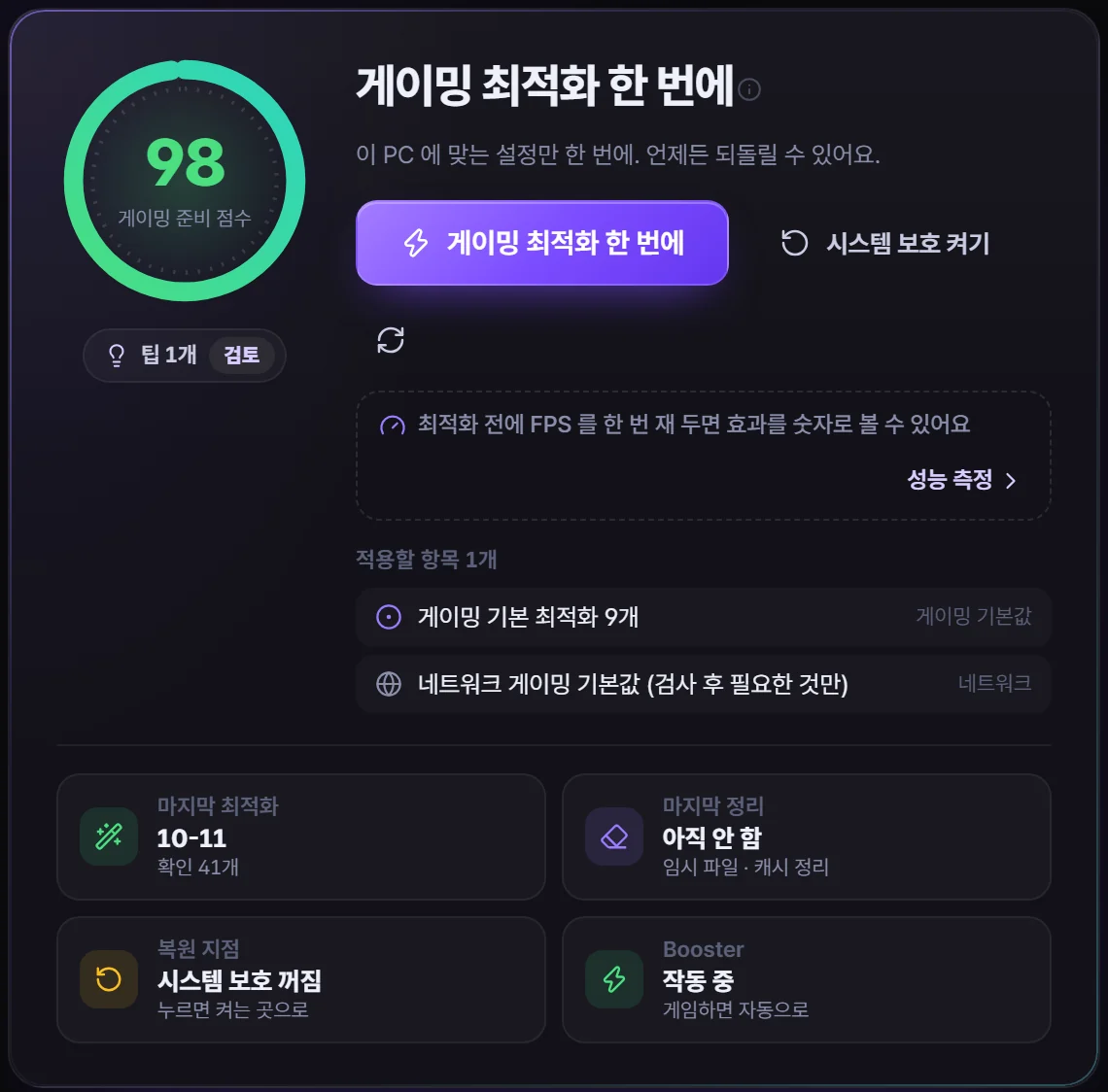
Veloce Optimizer
The right settings differ from PC to PC. It looks at the hardware, the Windows version and whether it's a laptop, and changes only what's needed.
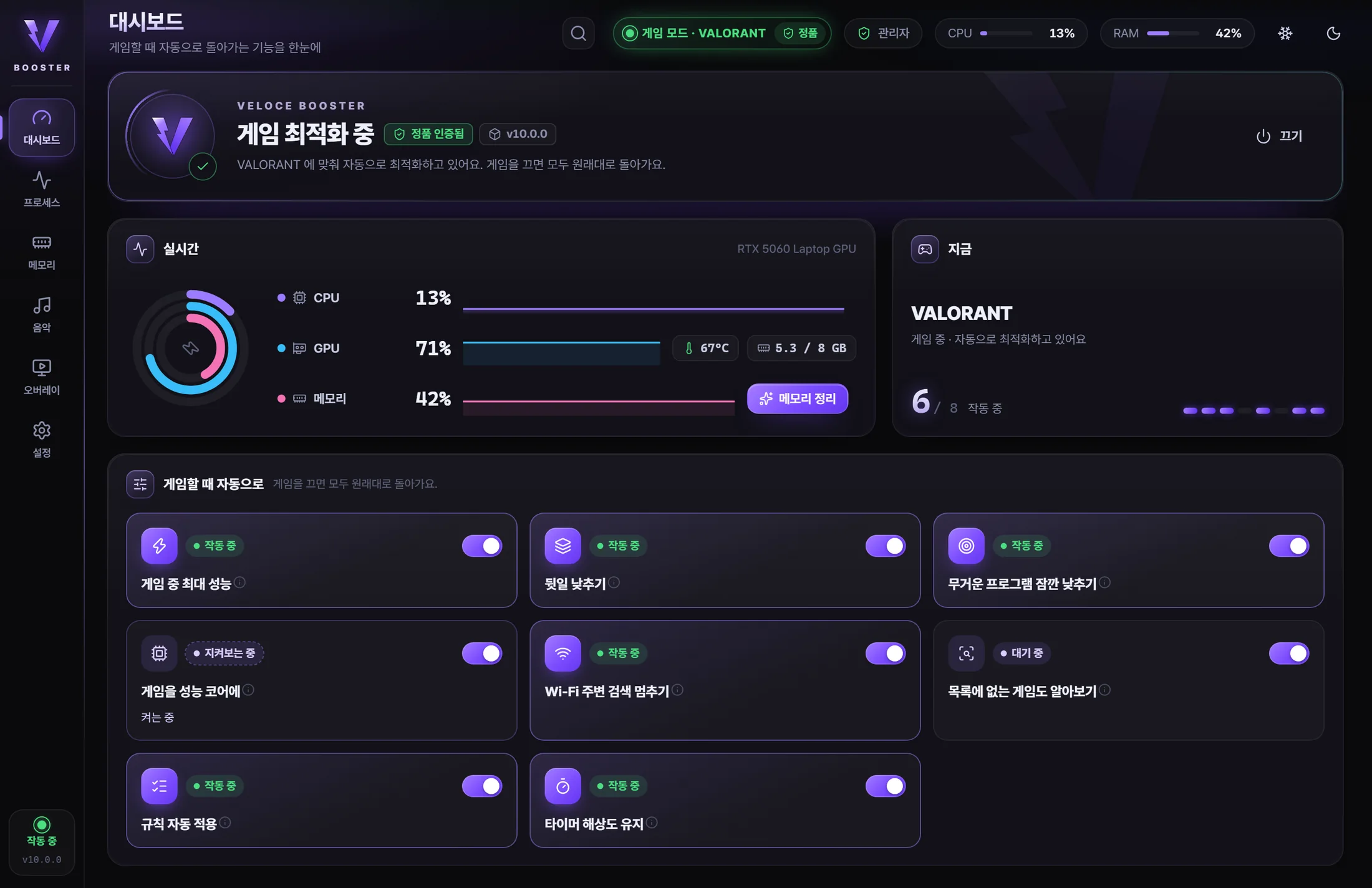
Veloce Booster Premium
It waits quietly in the tray and switches the PC into game mode the moment a game starts.
Performance proof
It compares FPS, stutters and ping in the same game before and after optimizing. If the difference is small it honestly says 'no difference', and if things got worse it suggests undoing first.
 VeloceIn game
Real values measured with the Veloce overlay on the developer's laptop (2026-10-19). The bars only illustrate the shape.
Per-game tuning
14 games get their own graphics and priority settings, and any other game only needs its executable picked.
Beyond these 14, the Windows, graphics and network optimizations and in-game max performance apply to every game.
VeloceOS Premium
Cleans up a fresh Windows install for gaming in one go.

Peace of mind
Measured on a laptop (8 cores, 16 threads), 30-second average while playing a 240 FPS game (2026-10-19). Item count as of 10.1.0.
Pricing
Both plans are a one-time payment. Future updates come at no extra cost. Prices are in Korean won (KRW).
For tuning your PC's settings in one go
For automatic top performance whenever you play
One key works with 1 account + 1 PC. Anyone who bought the earlier 'lifetime' plan keeps the same features as Premium.
How to buy
Anyone can download the installer, but a license key is needed to use it. Windows 10 · 11, 64-bit. The app is available in English and Korean.
The Windows, graphics and network optimizations and in-game max performance apply to every game. 14 games also get their own per-game settings, and any game not on the list can be added by picking its executable under 'Add a game'.
Play a round as usual before optimizing, then a few rounds of the same game afterwards, and the app compares FPS, stutters and ping. If the difference is small, it honestly tells you there's no difference.
Veloce only changes Windows, network and graphics settings. It never modifies game executables or game memory, and the overlay doesn't go inside the game. For strict environments such as tournaments, please also check that game's own guidance.
Yes. Laptops keep Windows' default power setup day to day, and performance goes up only while you play, then comes back down. Settings that add heat even while idle aren't used on laptops.
Yes. Every value is saved before it's changed, and 'Restore everything' in the Repair menu undoes it all at once. Before big changes it also creates a Windows restore point first.
Yes. Settings that Windows build already chose are left as they are, and only what's missing (per-game tuning, graphics settings, network, in-game automation) is added.
Yes. During games the accelerator gets priority along with the game. We recommend keeping only one accelerator on.
Yes. Pay only the ₩22,000 difference. Your key stays the same, and Booster and VeloceOS unlock in the app within a few minutes of upgrading.
One key works with 1 Discord (or Google) account + 1 PC. After a reformat, just sign in with the same account to reconnect; if you changed PCs, ask for a device reset on Discord.
It's not a subscription — a one-time payment with no automatic billing. You get a full refund before the license key is activated in the app. See the refund policy for details.
Windows asks once more because the program is new. Click 'More info', then 'Run anyway'. The app itself checks that update files carry the developer's signature before installing them.
For license checks it needs to be online at least once every 2 days. It's a tiny request and doesn't affect games.
No new PC needed. Get the performance your PC can already deliver.